Source ↔ export pairing
Pair individual files, review same-name folder suggestions, or use a `.deliverfresh` manifest for explicit relationships.
In validation · preparing for direct distribution
Track source-to-export freshness before an outdated deliverable leaves your Mac.
macOS users who repeatedly edit source documents, spreadsheets, or design files and need to know whether a PDF, image, or other export still reflects the current source.
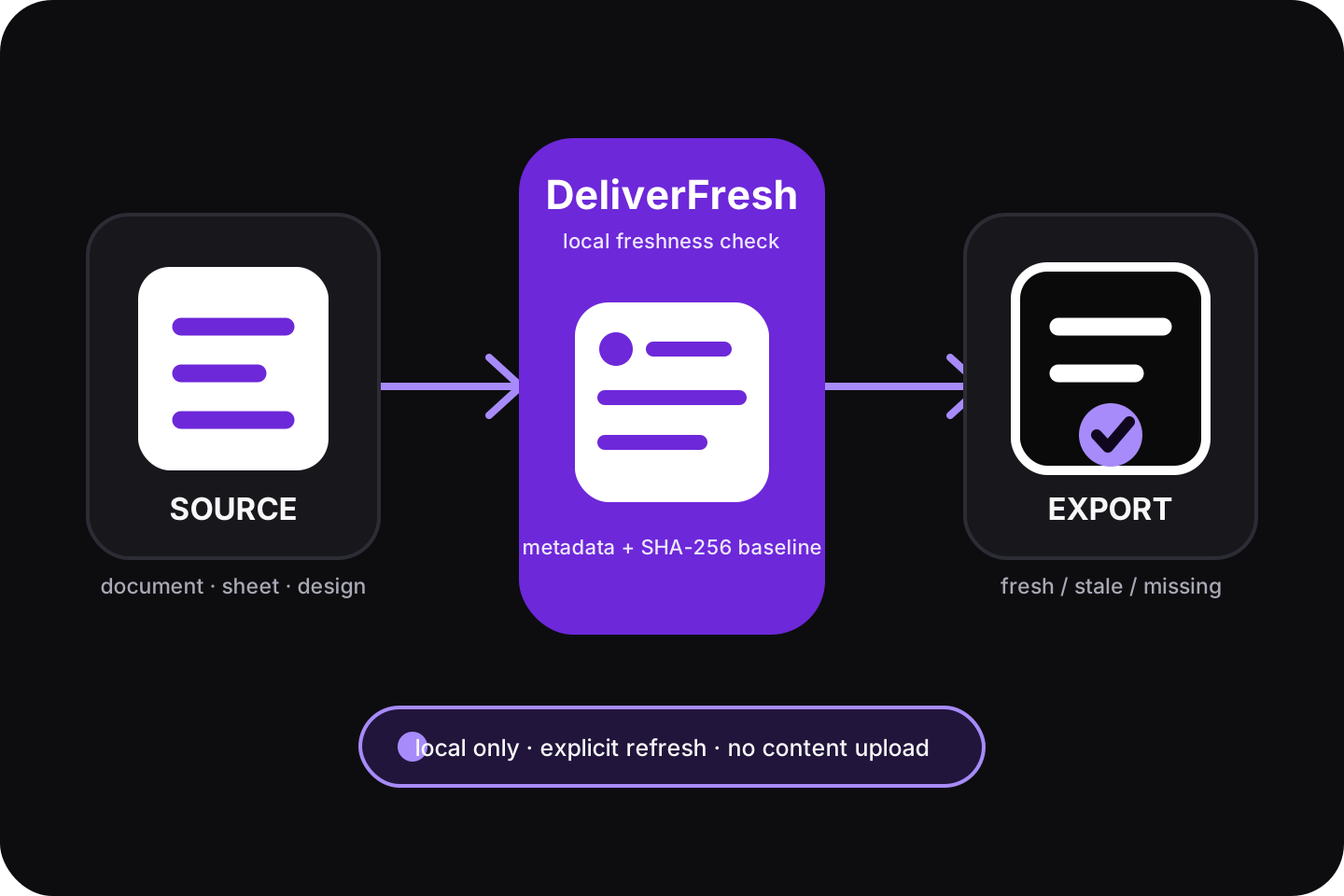
DeliverFresh pairs a source file with its export, marks the export stale after the source changes, and asks you to re-export before confirming a new baseline.
“Fresh” only means the source still matches the last confirmed fingerprint. It does not prove that a PDF, image, or other export is correct, and it never performs the export for you.
02 / Current capabilities
Every surface renders explicit Core states rather than guessing whether a file was re-exported.
Pair individual files, review same-name folder suggestions, or use a `.deliverfresh` manifest for explicit relationships.
Use size, modification time, status-change time, and streaming SHA-256 to compare the source with its confirmed baseline.
Separate stale, missing source/output, permission-required, unpaired, and error states without relying on color alone.
While the app runs, it writes a short-lived Finder Sync status cache and sends a local alert when a fresh item first becomes problematic.
03 / Local privacy boundary
These statements reflect the current implementation and project documentation, not a formal security audit.
Stored locally
Not performed
04 / Engineering and release status
This page publishes current progress. It does not mean Developer ID, notarization, download, or purchase is complete.
Currently verifiable
Pending before public release
Current gate
The site contains no .app, DMG, CLI package, checkout URL, or source repository link. A one-time purchase model is still being planned; no purchasable product exists yet.
05 / Next stage
These are recorded next-stage gates, not results already delivered.
Use the existing automation to complete Developer ID export, two-level app/DMG notarization, stapler, spctl, and SHA-256.
Validate Gatekeeper, the menu-bar app, Finder Sync, bookmark recovery, and reauthorization on macOS 14+ without Xcode.
Complete installation, Finder Sync enablement, state definitions, Refresh risk, uninstall, data removal, and support guidance.
Validate the engineering candidate, real-user feedback, public download, and payment separately rather than inferring market results from builds.
06 / Versions and boundaries
Use the public support route for current status; do not treat this introduction page as a download or purchase promise. View support